Is Nomao Camera Pro genuine see-through scanner or a risky fake app? If you have spent any time browsing trending Android utilities or third-party APK portals, you have likely encountered the name Nomao Camera. Promoted across message boards and social feeds as a mysterious “see-through” lens or thermal penetration tool, variations of the app continue to surface under fresh titles.
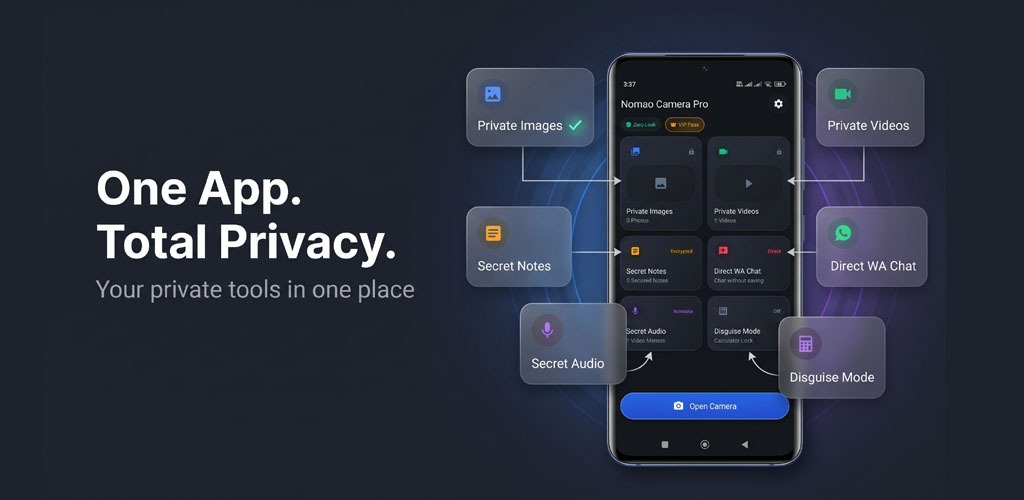
One of the latest iterations circulating online is Nomao Camera Pro Vault (package ID: com.nomao.camera.pro.vaul). This package brands itself as an all-in-one mobile utility: an experimental visual filter camera paired with a private, password-guarded photo vault.
Before you download the APK or grant it unrestricted access to your camera roll, let us look at how the app actually works, examine the optical science behind its claims, and address the real security risks involved.
What Is Nomao Camera Pro Vault?
The original Nomao Camera started years ago as a straightforward novelty prank app. It relied on inverted color maps, negative film filters, and pre-baked graphic overlays to simulate odd photographic effects.
The modern package titled Nomao Camera Pro Vault attempts to merge two distinct functions into one APK:
- Simulated Optical Filters: Photographic presets that mimic infrared scanning, thermal maps, and extreme contrast shifts.
- Hidden Gallery Vault: A localized, password-protected folder marketed to store private photos and hide them from your primary Android gallery.
While promotional posts and download mirrors present the app as a cutting-edge sensor utility, its underlying code relies entirely on routine camera effects and basic local storage routines.
The Big Question: Can Nomao Camera Really See Through Objects?
The definitive technical answer is no. It is physically impossible for any smartphone application to convert a standard mobile lens into an X-ray scanner or an optical penetration device.
Here is why, based on mobile hardware architecture:
- Physical Sensor Constraints: Standard mobile camera sensors (CMOS/CCD) are built to capture visible light within the $400\text{ nm}$ to $700\text{ nm}$ wavelength band. True penetration of dense or opaque layers requires specialized hardware—such as active high-output infrared emitters, terahertz sensors, or ionizing electromagnetic radiation (X-rays). Software cannot create hardware capabilities that do not physically exist on your device.
- Pre-Rendered Visual Overlays: When “scanning” modes are activated, the app merely shifts the color balance, reverses luminosity, or superimposes fixed graphic elements onto the live feed. There is no real-time physical depth inspection occurring.
Any video or website advertising Nomao Camera as a working see-through tool is running deceptive clickbait.
Technical & Security Risks: Why You Should Be Careful
Using a simple photo filter application is generally harmless. However, downloading an unverified, re-packaged APK under the name Nomao Camera Pro Vault introduces serious mobile security red flags.
1. Excessive Media & Device Permissions
Because the tool advertises both camera filters and a storage locker, it requests broad permissions upon startup:
- Full read and write access to local device storage.
- Unrestricted camera and microphone permissions.
- Device ID and network tracking access.
Handing complete storage and camera permissions to an unverified third-party application exposes your private photos, document downloads, and metadata to potential extraction.
2. Embedded Adware & Aggressive Background Scripts
Unregulated APK files sourced outside authorized application platforms are frequently modified with monetization SDKs. Users who install these packages often report:
- Invasive, full-screen interstitial video ads opening outside the app.
- Background battery drain caused by covert advertising networks.
- Silent redirects to third-party survey landers and download traps.
3. Deceptive Paywalls and Fake Features
Certain clone builds lock their supposed “advanced scanning filters” behind paid subscriptions, prompting users to enter credit card credentials or complete billable SMS verifications. None of these paid tiers provide actual scanning functionality.
Nomao Camera Pro Vault vs. Verified Alternatives
If you need a genuine photo vault or advanced manual camera controls, legitimate, verified applications offer far superior protection and utility:
| Feature Criteria | Nomao Camera Pro Vault | Files by Google (Safe Folder) | Open Camera |
| Primary Function | Novelty filters & basic vault | Encrypted local file storage | Open-source manual camera |
| Real Scanning Ability | None (Prank filters only) | N/A | None (Standard optical capture) |
| Data Encryption | Unverified / Missing | Hardware-backed AES-256 | N/A (Standard local storage) |
| Google Play Protect | Frequently Flagged / Pulled | Fully Verified | Fully Verified |
| Ad Experience | High / Disruptive pop-ups | 100% Ad-Free | 100% Ad-Free |
How to Safely Uninstall Nomao Camera Pro Vault
If you installed the application and want to remove it safely from your Android device, follow these steps:
- Revoke App Permissions:
- Open your phone’s Settings.
- Go to Apps & Notifications > See All Apps > Nomao Camera Pro Vault.
- Tap Permissions and toggle off Camera, Storage, and Microphone.
- Clear Application Cache & Storage:
- On the same app settings page, tap Storage & Cache.
- Tap Clear Storage and confirm. This wipes any cached ad-trackers or residual configuration files.
- Uninstall the App:
- Tap Uninstall to delete the APK from your phone.
- Run a Google Play Protect Check:
- Open the Google Play Store.
- Tap your profile photo in the top right and select Play Protect.
- Tap Scan to verify your system is free of leftover adware scripts.
Frequently Asked Questions (FAQ)
Is Nomao Camera Pro Vault safe to install?
No. APK variants circulating online often contain intrusive advertising SDKs and demand wide-ranging access to your device’s private storage, making them a privacy liability.
Why do some videos show Nomao Camera working?
Those clips are edited demonstrations. Creators use split-screen video editing, pre-recorded footage, or chroma-keying to fake see-through effects for social media engagement.
What is the most secure free alternative to hide private photos?
The built-in Safe Folder inside Files by Google (or Samsung’s native Secure Folder) is the safest free option. Both utilize hardware-backed encryption keys without third-party ad networks.
Final Verdict
Nomao Camera Pro Vault is built on an old web myth wrapped in aggressive monetization tactics. It cannot penetrate objects, see through clothing, or provide real thermal imagery. Granting it full permissions to your phone’s media library introduces unnecessary security risks.
Protect your personal data: delete unverified camera APKs and stick with trusted utilities vetted by official security standards.